17Income Planner
The Income Planner helps you figure out if you can actually live off your wheel strategy income. It uses a two-bucket system — one bucket for your living expenses, one for trading — so a bad month in the market doesn't mean you can't pay rent.
Why you need a plan
Selling options for income is lumpy. Some months premiums flow easily, other months you're managing assignments or sitting on reduced buying power after a drawdown. But your bills don't care about market conditions — rent is due regardless.
If 100% of your capital is in the trading account, a sharp market drop means your capital shrinks, your income drops, and you might make panic decisions because you need the money. The two-bucket system solves this by separating your living expenses from your trading capital.
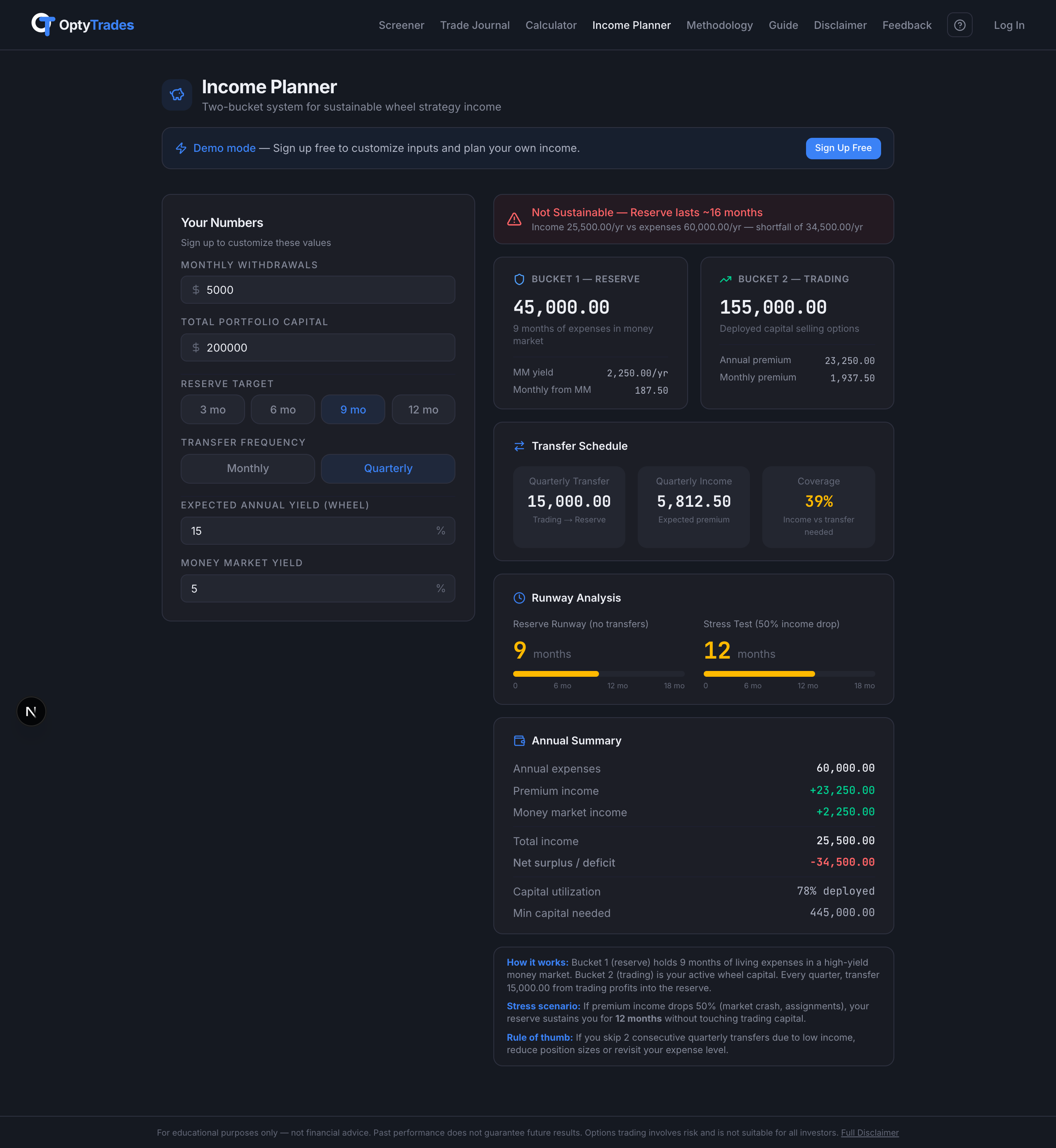
The two-bucket model
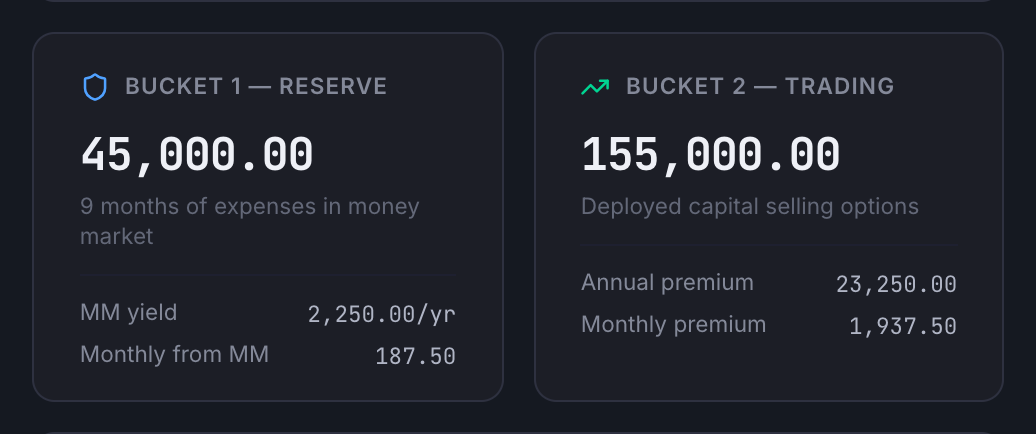
Bucket 1 — Living Reserve: A high-yield money market account holding 6–12 months of living expenses. This is your “sleep at night” money — zero market risk, always accessible.
Bucket 2 — Trading Capital: Everything else goes here. This is where you sell cash-secured puts, get assigned, sell covered calls, and collect premium. This account fluctuates — and that's fine because you're not pulling from it to pay bills.
Entering your numbers
Start by filling in the Your Numbers card on the left side. Everything else updates automatically as you type.
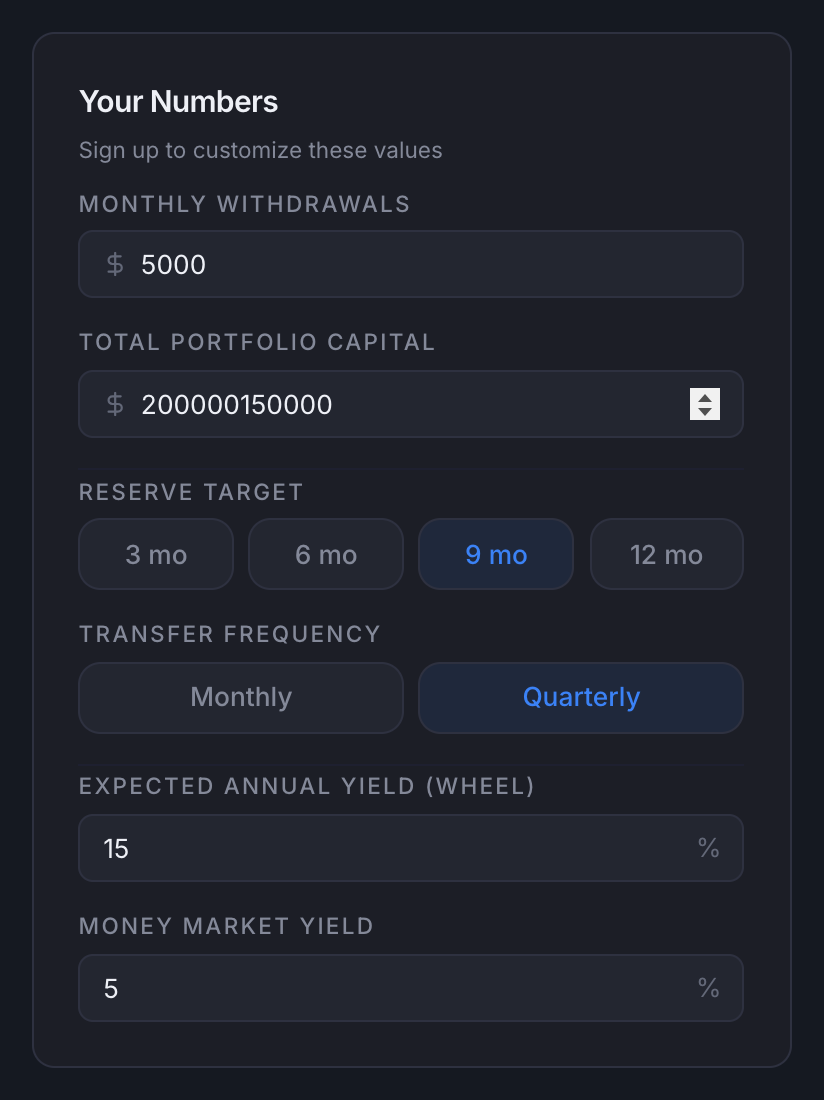
- Monthly expenses — what you actually spend each month (rent, food, insurance, everything).
- Total portfolio capital — the combined value of your trading account and money market reserve.
- Reserve target — 6, 9, or 12 months of expenses to keep in the safe bucket.
- Transfer frequency — how often you move premium from trading to reserve (monthly or quarterly).
- Expected annual yield — your estimated annualized return from the wheel (be conservative: 12–15% is realistic).
- Money market rate — the APY on your reserve account.
Sustainability check
The first thing the planner tells you is whether your plan is sustainable. If your capital can't cover your expenses at the yield you entered, you'll see a red warning telling you the minimum capital you'd need.

Choosing your reserve target
The Income Planner lets you toggle between 6, 9, or 12 months. The right choice depends on your total capital:
- Under $250K total: Consider 6 months — you need every dollar working. The math is already tight.
- $250K–$500K: 9 months is a solid middle ground — enough cushion without starving the trading account.
- $500K+: 12 months gives you maximum safety. The extra deployed capital matters less at this level.
Transfer schedule
The transfer schedule card tells you exactly how much you need to move from your trading account to your reserve each period, and whether your premium income covers it.
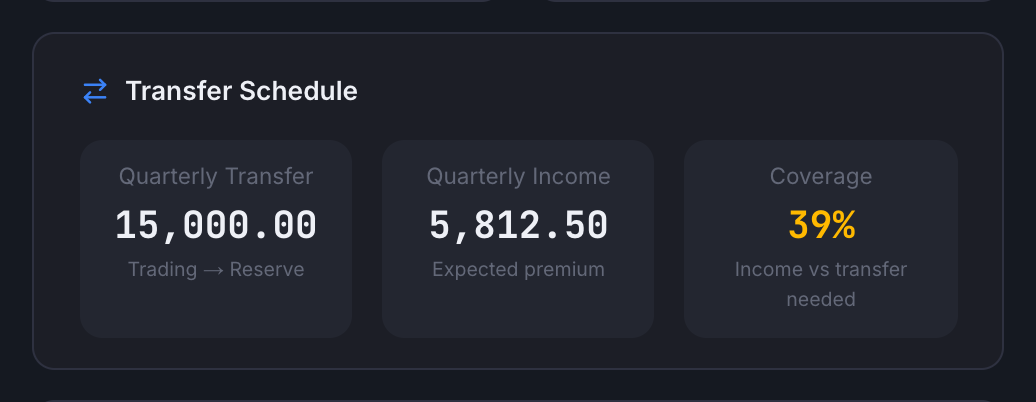
Quarterly is recommended for most options sellers because:
- Options cycles are typically 30–45 DTE, so a quarter gives you ~3 full cycles of realized premium.
- Smooths out bad months — if January is terrible but February and March are strong, the quarter still works.
- Aligns with estimated tax payments (if options income is your primary income).
- One decision 4× per year instead of 12 — less mental overhead.
Runway analysis & stress test
The runway section tells you how long your reserve would last with zero income from trading. The stress test shows what happens if your income drops 50% — simulating a real bear market where assignments pile up and premium income falls.
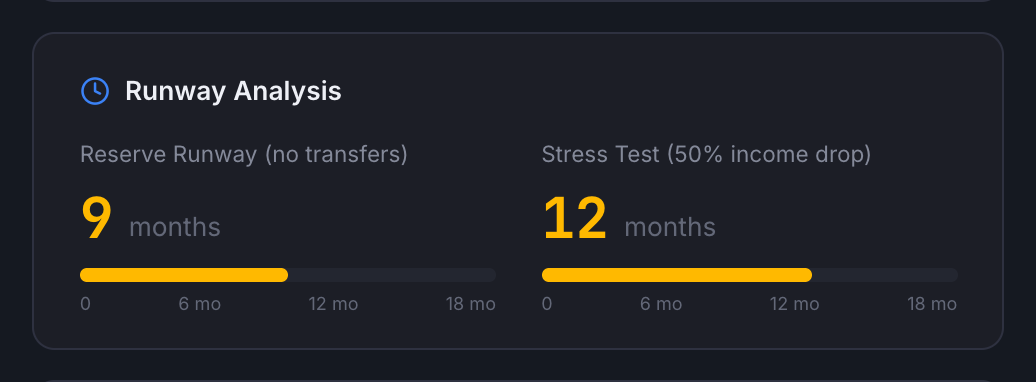
Target: You want at least 6 months in the stress test, ideally 12+. If the stress test shows less than 6 months, either increase your reserve target or increase your total capital.
Annual summary
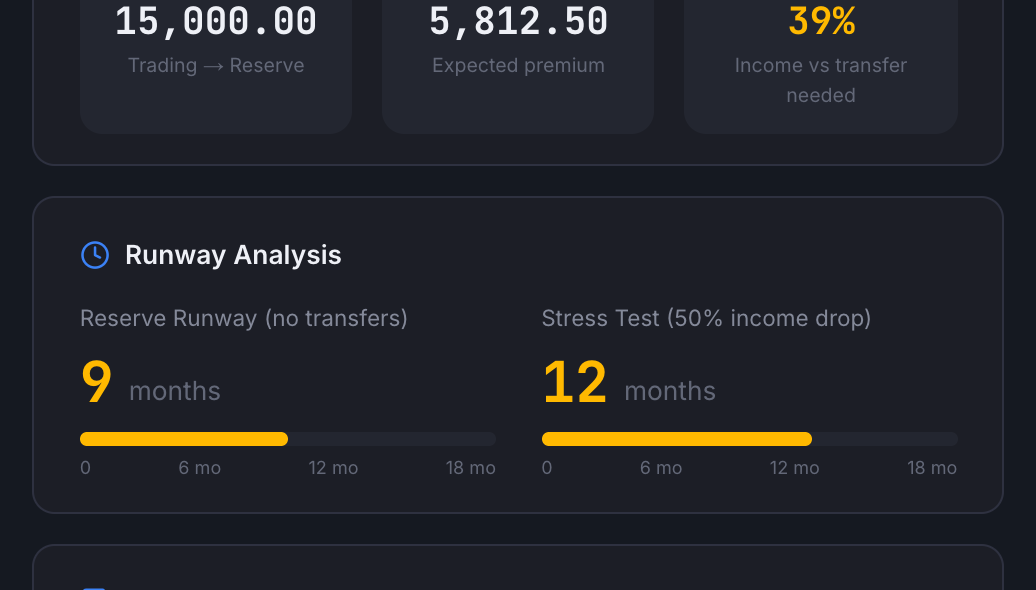
The annual summary pulls everything together: total expenses, premium income, money market income, net surplus or deficit, and your capital utilization percentage. This is the single card that tells you whether the plan works.
When to skip a transfer
Sometimes you won't have enough profit to make the full transfer. That's okay — the reserve is there for exactly this situation. Your options:
- Skip it: Bucket 1 drains for one period. This is why the reserve exists.
- Partial transfer: Move what you can. Even half is better than nothing.
- Don't sell trading capital: Selling shares at a loss to fund the reserve should be the absolute last resort — it locks in losses in the worst conditions.
Trade Journal Mode (Pro)
Trade Journal mode connects the Income Planner directly to your Trade Journal history. Instead of estimating your yield, the planner uses your actual closed trades to calculate everything automatically:
- Real yield calculation — your annualized return computed from actual P&L across all closed wheel trades. No guessing.
- Collected vs. Realized toggle — choose whether the planner reads premium on a cash basis (every STO credit and BTC debit on the day it happened) or a realized basis (only premium from contracts that have fully resolved). Collected matches your brokerage cash flow; Realized is the conservative number you get to keep no matter what. The same toggle exists on the Trade Journal page and the two views use the same accounting under the hood.
- Transfer tracker — see whether you hit your transfer targets each period, with a running history of transfers in vs. transfers needed.
- 12-month yield trend — a visual bar chart showing monthly yield over the past year so you can spot if performance is improving, declining, or consistent.
- Smart alerts — the system watches for important signals:
- Reserve dropping below your target — time to prioritize transfers
- VIX spike detected — premium-rich environment, good for rebuilding buffer
- Capital surplus — excess above reserve target that could be redeployed to the trading account